
While some employers have used video interviews as part of their recruitment process for a number of years, the Covid-19 pandemic and resulting lockdowns/social distancing measures helped them move into the mainstream of selection tools. Time and money savings for both candidates and employers make them likely to be here to stay. Not everyone feels naturally comfortable and confident on camera, but with the right preparation, you’ll be able to succeed at video interviews.
What will my video interview be like?
This depends on whether your interview is live or pre-recorded:
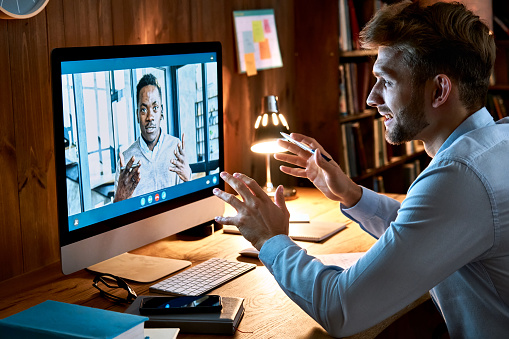
Live: This should take a similar format to traditional face-to-face interviews, but is conducted via a video call on platforms like Zoom, MS Teams, Skype or Google Meet. You are usually sent a link to join the video meeting with one or several interviewers at a specified time and date. Approach this like a ‘normal’ interview, i.e. try to create a rapport with your interviewers, listen attentively, and let your personality shine through.
Pre-recorded: You will be sent a link to a video interview platform and asked to answer a number of pre-recorded questions by a certain deadline. There is no actual interviewer present, so you record your responses on the platform for the employer to review later. The questions will either appear on the screen or you will be shown a short video recording of a member of the recruitment team asking you the question. After 30-60 seconds of thinking time, you will be given a set time limit for your response (which could be anything between 90 seconds and five minutes), and this will be shown in a countdown while you record your answer. When getting ready for a pre-recorded interview, split your responses into blocks so you can adjust to the different time limits you may be given. For example, prepare five reasons why you would like to work for the company, but if you have less time than you thought, think about which points you could leave out or shorten. Ensure your responses are as comprehensive as possible, as there is no interviewer present to prompt you for additional information. This type of interview may feel very impersonal, but with a little practice, you will soon master pre-recorded interviews.
How can I prepare effectively?
One of the benefits of video interviews is that you can participate in them from the comfort of your home – for many interviewees, being in familiar surroundings will both boost their confidence and remove any potential worries over getting to the interview on time or not feeling comfortable in the interview environment. However, this does not mean that your preparation for a video interview is any less important or should be less comprehensive than for a face-to-face interview! Employers will still want to explore your suitability for and interest in the role in depth, while also assessing your motivation to work for their organisation.
Our ‘preparing for interviews’ guide provides tips for researching the job and organisation, advice on the kind of questions to expect and how to respond, as well as lots of sample questions to help you practise. Anticipate the questions that are likely to come up by reviewing the job description and person specification for the role carefully, and then work on your responses to potential questions. Use the Interview360 tool on our Careers Zone 24/7 to browse common interview questions (alongside advice on how to answer them) and create mock interviews to practise and improve your technique.
If your video interview is with a larger organisation, you can also use websites like Glassdoor to conduct some research into the experience of other candidates who interviewed for similar roles in the company, and their reviews often list examples of questions they were asked. Targetjobs also provides tips for video interviews for key sectors (including construction, retail, investment management, law and property) and with a range of employers (including Network Rail, BT, BDO, Unilever etc.)

Lights, camera, action!
Alongside your preparation for employers’ likely questions, also bear in mind a few key practical considerations:
Lighting: Ensure your face is well-lit. If there isn’t enough natural light, use an additional lamp, and try a practice call with a friend or family member to find its best position.
Camera: Test your camera and laptop/tablet to avoid any preventable technical problems during your interview. Position your laptop/tablet so your camera is at eye level. You may need to put your laptop on a pile of books to get the camera to the right height. For pre-recorded interviews, you are usually given a practice question to test the software and can make any adjustments to your camera before you start the formal interviews.
Software: Check what platform or software the employer is using for your interview. Will you need to create an account on Skype or Zoom and install any software in advance? If it’s a platform you’re not familiar with, test it with a friend or family member to ensure your sound and video are working well and that you are familiar with the interface, e.g. how to share your screen if you’ve been asked to deliver a presentation as part of your interview.
Location: Choose a quiet room where you’ll be able to focus on the interview. Sit in front of a plain background if you can, so there are no distractions for the interviewers, but if you can’t, just make sure you’ve tidied up!
Clothing: Professional attire will help you feel the part and shows prospective employers that you want to make a good impression, so dress like you would have done for an in-person interview. Avoid busy patterns that might look distorted on camera.

On the day
Make sure any flatmates or family members know not to disturb you during your interview. If you have issues with bandwidth, ask them not to stream any online content or video-call people while you’re on your interview. Make sure your laptop/device is charged or plugged in. For live interviews, log in with plenty of time to spare, so you’re not rushed at the start of the interview. To minimise distractions, turn off your phone and close any other programmes on your laptop/device. Ensure you have your notes to hand as well as pen and paper to write down key points for each question. Wait a few seconds before you respond in case there are several parts to a question so you don’t interrupt the interviewer. Ask who you can contact in case you get cut off.
Although it may seem more impersonal to be interviewed virtually than in person, particularly if it’s a pre-recorded interview, build a rapport with the interviewer(s): smile and maintain eye contact by looking into the camera. You might find it helpful to attach a photograph of a friend/family member or a sticker next to the camera – this makes it more likely that you look directly into the camera rather than at your own image on screen, and as a result the interviewer will feel a better level of engagement and rapport with you.
Good luck with your interview!
 LJMU Student Futures: Careers, Employability & Start-Up Team
[…] review and practise interview questions. Check out our blog articles on preparing for telephone and video interviews for further tips and […]
LikeLike